


Go to Section
Share on


Running a Shopify store in a fast-moving ecommerce environment like the UAE means making decisions throughout the day. Sales patterns change, products gain traction, campaigns influence customer behaviour, and operational tasks compete for attention. Shopify provides powerful analytics and reporting tools, but turning that data into clear actions can still take time.
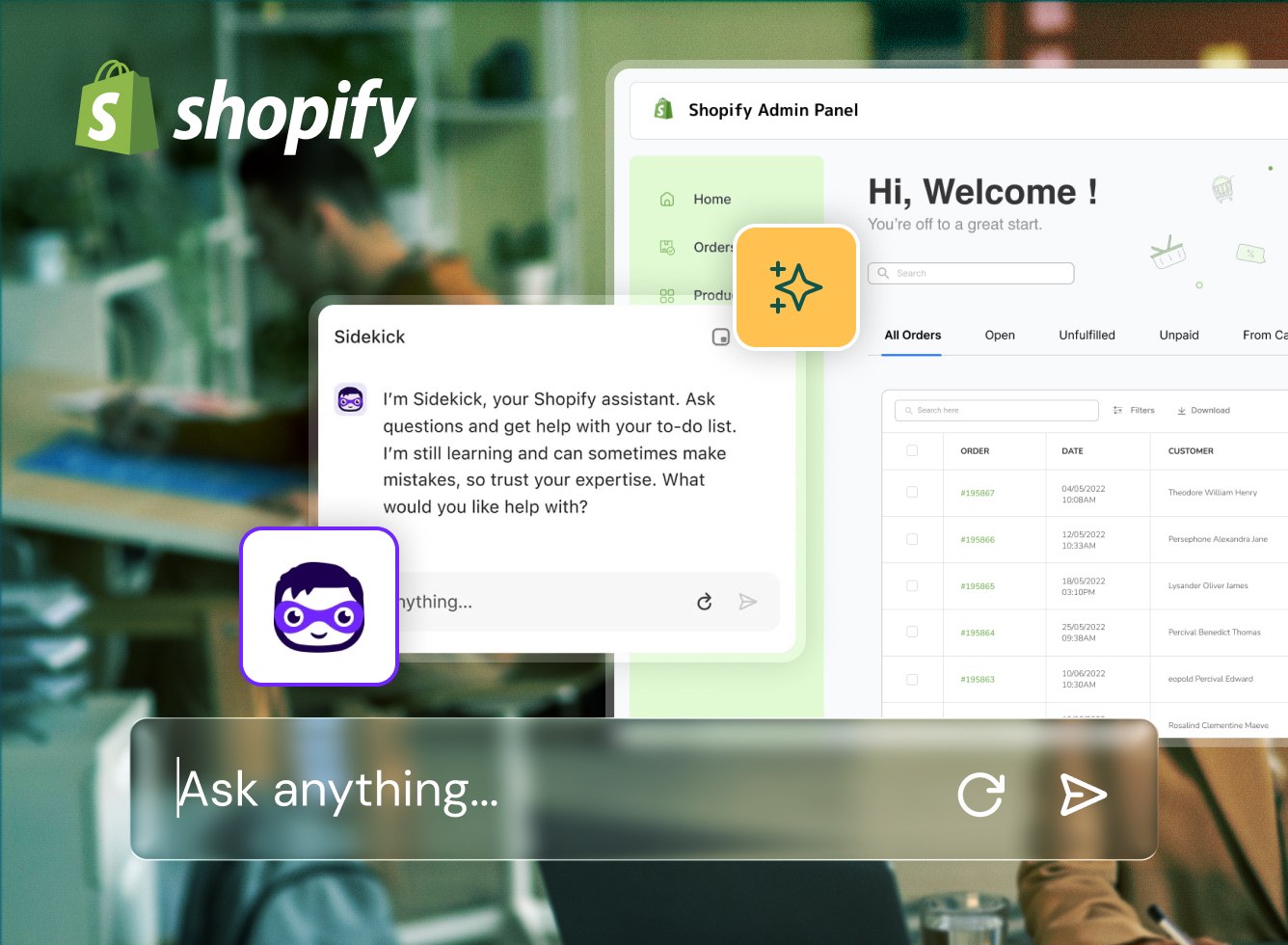
Sidekick was one of the standout updates introduced in the Shopify Winter ’26 Edition, which brought several improvements across AI, store management, and ecommerce operations. Built directly into the Shopify admin, Sidekick allows merchants to interact with their store using natural language. Instead of navigating multiple dashboards or manually configuring reports, store teams can ask questions, explore insights, and complete tasks within the same workspace.
The result is a more efficient way to operate a store. Questions become insights faster, insights turn into actions sooner, and daily tasks require less manual effort.
Spotting What Needs Attention Sooner
Every Shopify store generates a large amount of information. Orders, customer behaviour, product trends, and marketing results all contribute to understanding store performance.
The challenge is not the availability of data but recognising which signals deserve attention. Sidekick helps merchants identify these signals earlier. Instead of manually reviewing multiple reports, merchants can ask questions directly about their store activity. The assistant can guide users towards relevant data, highlight performance changes, and surface useful insights.
Merchants can quickly explore how sales have changed, which products are gaining traction, or whether purchasing behaviour has shifted. These insights make it easier to understand what is happening inside the store without navigating through several reporting layers. When signals appear sooner, businesses can respond sooner.
Turning Store Data into Faster Reporting Insights
Reporting plays a central role in understanding store performance. Shopify already offers strong analytics capabilities, but configuring reports or building queries can still require time and familiarity with the reporting interface.
Sidekick makes this process more accessible.
Merchants can ask for insights using everyday language. The assistant can generate reports or help build queries through ShopifyQL, making it easier for store teams to analyse performance without technical complexity.
This allows merchants to explore questions such as:
- How sales performance has changed across a specific period
- Which products generated the highest revenue
- How customer segments contribute to overall sales
Instead of building reports manually, teams can focus on interpreting results and deciding what actions to take next.
Making Merchandising Decisions with Greater Clarity
Merchandising decisions often depend on recognising product performance trends at the right moment. Demand can change quickly due to promotions, seasonal activity, or marketing campaigns. Sidekick helps merchants explore these trends more efficiently.
Store teams can analyse which products are gaining momentum, which collections are performing well, and which items may require additional visibility. These insights help merchants refine merchandising strategies and adjust product placements or promotions based on real store activity, particularly across diverse customer segments and regional audiences within the UAE and wider GCC market.
Recognising these patterns earlier helps businesses act before opportunities fade.
Reducing Admin Effort Across Daily Store Operations
Beyond analytics and merchandising insights, Sidekick also supports everyday operational tasks. Managing a Shopify store often involves navigating multiple areas of the admin to adjust settings, review apps, create workflows, and manage store configurations. While each task may be simple, the cumulative effort can interrupt productivity.
Sidekick helps reduce this friction.
With the latest Shopify update, the assistant can guide merchants through multi-step tasks, suggest automation workflows in Shopify Flow, and help generate theme blocks or design updates.
Instead of manually setting up each step, merchants can describe the task and receive guidance on how to complete it.
Combining Shopify AI Capabilities With Ecommerce Expertise
AI-driven tools like Sidekick are changing how merchants interact with ecommerce platforms. By bringing insights, recommendations, and actions into a single interface, they reduce the friction that often slows down daily store management.
However, building and scaling a successful Shopify store still requires strong technical planning, reliable infrastructure, and thoughtful customer experience design.
As a Dubai based Shopify development agency, we work with businesses across the UAE region to design and develop Shopify stores that support long-term growth across local, regional, and international markets. This includes custom development, integrations, performance improvements, and user experience enhancements.
How Shopify Sidekick Supports Faster Store Decisions
Sidekick reflects a broader shift in how ecommerce businesses operate their stores. Instead of navigating multiple dashboards, configuring reports, or manually managing workflows, merchants can ask questions, receive insights, and act on them within the same environment.
This reduces the effort required to analyse store data, refine merchandising strategies, and manage daily operations.
When insights are easier to access and routine tasks require less manual effort, teams can focus more on improving customer experience and responding to new opportunities.
Shopify Sidekick FAQs
What is Shopify Sidekick?
Shopify Sidekick is an AI-powered assistant built into the Shopify admin that helps merchants analyse store data, navigate the platform, and complete tasks using natural language. Shopify describes it as an AI-enabled commerce assistant designed to help businesses start, run, and grow on Shopify.
How do you use Shopify Sidekick?
Shopify Sidekick is used directly inside the Shopify admin. Merchants can open it from the admin interface and ask questions, request reports, get guidance, or ask for help with tasks using plain language on desktop or mobile.
What can Shopify Sidekick do?
Shopify Sidekick can help with reporting, store guidance, workflow support, content generation, navigation, and operational tasks. It can also assist with ShopifyQL queries, charts, exports, app discovery, and certain theme-related guidance.
Can Shopify Sidekick generate reports?
Yes. Shopify Sidekick can create and edit reports in plain language through the ShopifyQL query editor, helping merchants build custom data explorations and reporting views faster.
Can Shopify Sidekick help with merchandising decisions?
Yes. Shopify Sidekick can help merchants review product performance, identify trends, analyse collection results, and surface insights that support faster merchandising decisions.
Does Shopify Sidekick work with daily store operations?
Yes. Shopify Sidekick can guide merchants through tasks, help with admin navigation, support automation workflows, and assist with recurring operational activities inside Shopify.
Is Shopify Sidekick available on mobile?
Yes. Shopify confirms that Sidekick can be used through the Shopify admin on both desktop and mobile devices.